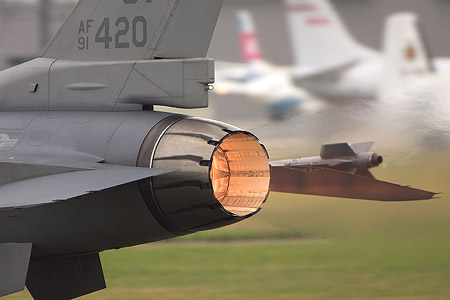
Tom Clancy HAWX graphics cards performance results (1)Alright, so today we'll test in four widescreen resolutions with the image quality settings as explained over the last few pages. We'll be scaling from 2560x1600 towards 1280x720. We are including HD Ready (720P) and Full HD (1080P) resolutions as well.

Alright then, twelve of the more modern popular graphics cards are being used today. For our first test run we start at 2560x1600. As the benchmarks will show, the Radeon HD 4870 X2 trumps the charts.
Why isn't the GeForce GTX 295 on top you ask ? Well even with a internal Beta driver supplied by NVIDIA, the second GPU on the GTX 295 would not kick in, despite that driver being SLI ready. So the GTX 295 is reverting to 1 GPU performance only. And that's pretty much showing GeForce GTX 260 performance. Make no mistake, once an updated driver is released .. the GTX 295 will trump the charts. We'll update when that happens.
This resolutions shows a situation where it prefers more than 512MB of graphics memory. Starting at Radeon HD 4870 1024MB or GeForce GTX 260 SP216 with 896 MB of framebuffer, this is a very nice gaming experience.

Gaming at 1920x1080 or 1920x1200 in the enthusiast segment is a very popular resolution. Have a close look at the GeForce GTX 285 for a minute. It's seems to be closing in real fast to the 4870 X2. We are pretty confident it's driver bug on the X2 side though.
Best bang for buck however is a 150 USD GeForce GTS 250 or Radeon 4850. Both offer framerates above 40 FPS, which for the money is a great deal.

A very common used resolution is 1680x1050 or 1600x1200. Here a cheapo Radeon 4830 with 512MB memory is really all that you need. If you are using a GeForce 9600 GT .. disable AA or lower other IQ settings a little bit to reach 40 FPS and you are good to go as well.

The last resolutions we'll be testing today is 1280x720, yes the HD Ready resolution. Pretty much any graphics card above the 100 USD range can manage this resolution versus IQ setting s really fine. No worries whatsoever.
What's also fun is this, a lot of projectors use this resolution. Hook up the PC and enjoy the semi-flight-sim experience on a very big screen. you'll have no idea what hit you .. extremely fun.
The END
Okay ladies and gentlemen. That's it for this game performance article. I hope you have gotten an idea of what to expect and what you'd need to run the game. Fact is that the image quality served here is pretty amazing and well .. you won't need a 2 thousand dollar system to run the game that's for sure.
HAWX is a pretty unique addition tot he Tom Clancy game series. I certainly seem to have a lot of fun with this title. But don't believe me on my word, just grab the PC demo from the web and give it a test run. It's not for everyone but a lot of you will like it for sure. It surely is good to see a unique concept. Right, afterburners on ... I'm flying outta here. -Hilbert-
Image quality and screenshotsOur image quality settings are fairly complex, which you can set in-game. BTW if you like to tryout the game or would like to have a go with the benchmark. Just download the demo, available widely over the web.
The graphics engine however is fantastic, There's no need to give in to lower quality settings other then AA here and there for the lower specced mid-range graphics cards.

Here we see a screenshot in-between ATI and NVIDIA. Now before I even begin, do not look at the background vegetation. Since HAWX does not allow a 'still' point in time. We can't snapshot at the same frame/time interval. So for RAdeon graphcis cards the vegetation looks slightly worse, yet that's the result of the angle we fly at. Ignore please.
Your focus should be the F16. Try to look at differences texture quality, shadows, lighting. Now this is a crop from two 2560x1600 screenshots. All I can say is .. there is no visible difference among the two vendors from textures to AA to soft particles (clouds) lighting and so on.
Very nice know and see. Let's enjoy some screenshots of the game.

Once you startup the game for the first time, it virtually is impossible to not be impressed by the graphics quality. Amazing texture detail at low and high altitudes. In the sky we fly through dense hard on the GPU volumetric clouds. 
This screenshot shows the nice ambient lighting, shadows, fog and object detail. But let's have a look at the level we'll be performing our test in. 
One of the nicer image quality settings you can enable is ambient occlusion. Ambient occlusion attempts to approximate the way light radiates in real life situations. Next to that things like fog that traces weaponry, realistic clouds, god-rays and HDR are fairly common in the graphics engine for sure. 
Next to great high quality textures volumetric fog, shadows and a ton of shaders, just check out the number of objects in the ground. But let's have a look at the settings we'll be performing our test in. | 


 发表于 2009-3-16 12:38:45


 分享
分享 收藏
收藏